


Download LibreOffice Fresh – Free Beta Office Suite for Windows, macOS, Linux
Overview
LibreOffice Fresh is the cutting‑edge, continuously updated beta branch of the well‑known LibreOffice office suite. While the stable version of LibreOffice has earned a reputation for reliability and broad format support, LibreOffice Fresh gives power users, developers, and curious testers a first‑look at experimental features that may shape the future of the suite. The Fresh branch ships with six core applications—Writer, Calc, Impress, Draw, Base, and Math—each mirroring the functionality of Microsoft Office’s Word, Excel, PowerPoint, Visio, Access, and Equation Editor respectively.
Because LibreOffice Fresh is open‑source and completely free, it offers an attractive alternative for individuals and organizations that want a cost‑effective office solution without sacrificing compatibility with DOC, DOCX, XLSX, PPTX, ODT, and many other file formats. However, as a beta release, Fresh can occasionally exhibit instability, missing features, or occasional crashes, especially when paired with third‑party plug‑ins. This makes it ideal for users who enjoy testing new software, providing feedback, and staying ahead of the curve, while still needing a full‑featured office environment for everyday tasks.
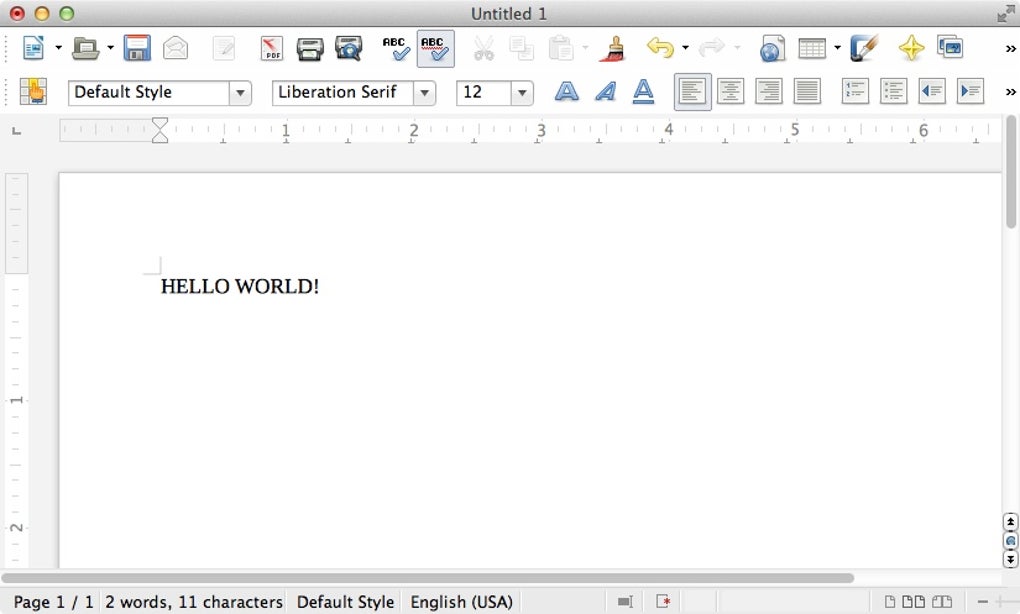
Whether you are a student drafting essays, a small business owner managing invoices, or a developer looking to extend the suite with custom extensions, LibreOffice Fresh offers a versatile platform that balances familiarity with innovation. The suite’s UI retains the classic toolbar layout that long‑time Office users recognize, but subtle design refinements—such as a refreshed sidebar, modern icons, and improved theme support—enhance the overall user experience. In short, LibreOffice Fresh is a free, open‑source, cross‑platform office suite that lets you explore upcoming features before they become part of the stable release, all while delivering the core productivity tools you expect from a modern office suite.
Key Features and System Compatibility
Feature Highlights
- Writer: Full‑featured word processor supporting DOC, DOCX, RTF, ODT, PDF, and ePub export.
- Calc: Spreadsheet engine with advanced functions, pivot tables, and compatibility with Excel macros.
- Impress: Presentation creator offering slide transitions, animations, and PDF/HTML export.
- Draw: Vector graphics editor for flowcharts, technical drawings, and simple illustrations.
- Base: Database front‑end compatible with MySQL, PostgreSQL, and embedded HSQLDB.
- Math: Formula editor that can embed equations directly into Writer and Impress documents.
- Extension Marketplace: Easily install plug‑ins for spell‑check, language packs, and specialized tools.
- Cross‑Platform UI: Consistent interface on Windows, macOS, and Linux with dark‑mode support.
- Real‑Time Collaboration (Beta): Early implementation of cloud‑based document sharing via Nextcloud integration.
- Improved Performance: Optimized rendering engine and faster start‑up times compared to the stable branch.
Operating System Support
LibreOffice Fresh runs natively on the three major desktop operating systems:
- Windows 10, 11 (64‑bit): Installer available in both MSI and EXE formats for easy deployment in corporate environments.
- macOS 12 Monterey and later: Native .dmg package with sandboxing for enhanced security.
- Linux distributions: Official packages for Ubuntu, Fedora, Debian, openSUSE, and Arch Linux, plus a universal AppImage for any distro.
The suite also supports ARM‑based devices, such as Windows on ARM laptops and Raspberry Pi running a Linux distribution, thanks to its fully open‑source codebase. Whether you are a Windows power user, a macOS creative professional, or a Linux enthusiast, LibreOffice Fresh provides a seamless, integrated experience that respects the conventions of each platform while delivering a uniform set of productivity tools.
Installation and First‑Run Guide
Step‑by‑Step Installation
Installing LibreOffice Fresh is straightforward, regardless of your operating system. Below is a concise walkthrough for each platform:
- Download the installer: Visit the official LibreOffice website and select the “Fresh” version for your OS. Choose the 64‑bit package for modern hardware.
- Windows: Run the
.exefile, accept the license agreement, and select the default installation path (e.g.,C:\Program Files\LibreOffice). Opt for the “Custom” installation if you want to add specific language packs. - macOS: Open the
.dmg, drag the LibreOffice icon into the Applications folder, and confirm any security prompts that macOS may display. - Linux: Use your distro’s package manager. For Ubuntu/Debian, run
sudo apt install libreoffice-fresh. For Fedora, usesudo dnf install libreoffice-fresh. Alternatively, download the AppImage, make it executable (chmod +x LibreOffice-fresh.AppImage), and run it.
First‑Run Configuration
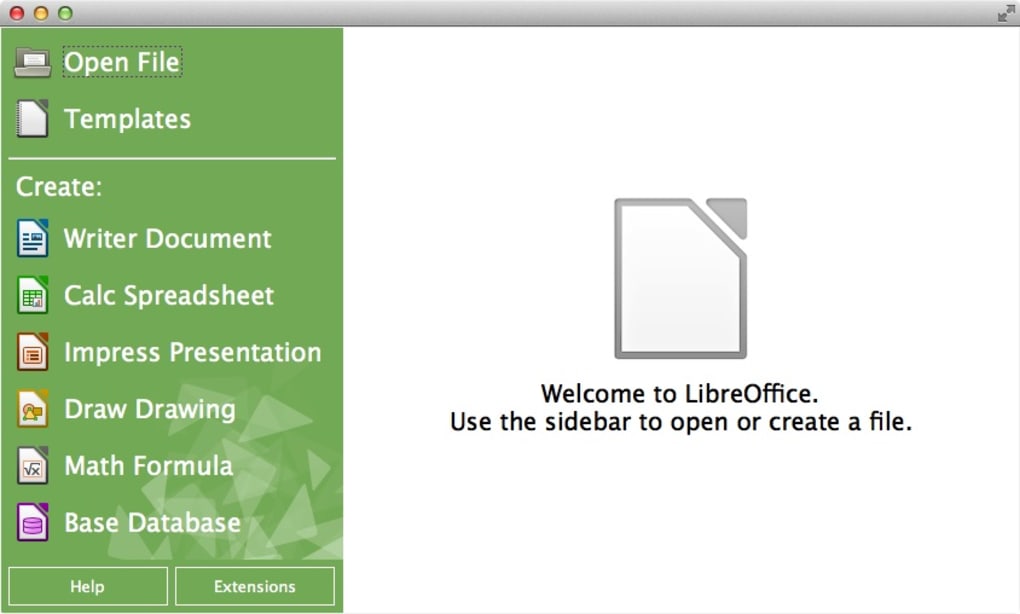
After launching LibreOffice Fresh for the first time, you will be greeted with a welcome dialog that offers several useful options:
- Update Settings: Enable automatic checks for beta updates to stay on the cutting edge.
- Language & Regional Settings: Choose your default UI language, document locale, and default measurement units.
- Extension Installation: Browse the Extension Center directly from the “Tools → Extensions Manager” menu to add extra functionality like OCR, PDF import, or advanced charting.
- Template Selection: Import or create document templates for letters, invoices, and presentations to speed up workflow.
Once configured, you can start a new document by clicking the appropriate icon in the start‑up splash screen (Writer, Calc, Impress, etc.). The suite remembers your last used application, making it quick to resume work. Because LibreOffice Fresh is a beta, you may encounter occasional prompts to report bugs or suggest improvements—participating in this feedback loop helps shape the stable release.
Tip: Keep a backup of your important documents in an external folder or cloud storage before testing new features. While the suite is robust, beta software can sometimes behave unpredictably, especially when combined with third‑party extensions.
Pros, Cons, and Frequently Asked Questions
Pros & Cons
Pros:
- Completely free and open‑source—no license fees.
- Full compatibility with Microsoft Office file formats.
- Six powerful applications covering all office needs.
- Regular beta updates introduce innovative features early.
- Cross‑platform support for Windows, macOS, Linux, and ARM devices.
- Extensive extension ecosystem for customization.
- Strong community support and detailed documentation.
Cons:
- Beta nature can lead to occasional crashes or instability.
- Some advanced features may not yet be polished.
- Interface, while familiar, may feel dated compared to Microsoft 365.
- Limited native cloud‑collaboration tools (still experimental).
- Performance on very large documents can be slower than commercial counterparts.
FAQ – Your Questions Answered
Is LibreOffice Fresh really free?
Yes, LibreOffice Fresh is 100 % free to download, use, and distribute. It is released under the LGPL‑3.0 license, meaning you can also modify the source code if you wish.
Can I open and edit Microsoft Office documents?
Absolutely. LibreOffice Fresh supports DOC, DOCX, XLSX, PPTX, and many other Microsoft formats. While most formatting is retained, complex macros may need adjustments.
What operating systems are supported?
LibreOffice Fresh runs on Windows 10/11 (64‑bit), macOS 12+ (Intel and Apple Silicon), and major Linux distributions. ARM‑based devices are also supported through community builds.
How do I report bugs or request new features?
You can file bugs or feature requests on the official LibreOffice Bugzilla at bugs.documentfoundation.org. The community reviews each submission and often incorporates feedback into upcoming releases.
Is there any risk of data loss when using a beta version?
Because LibreOffice Fresh is a beta, occasional crashes can happen. It’s wise to keep backups of critical files and enable the automatic “Save AutoRecovery” feature in the preferences.
Conclusion – Should You Download LibreOffice Fresh?
LibreOffice Fresh offers a compelling mix of powerful office applications, broad file‑format compatibility, and a zero‑cost price tag. For users who enjoy exploring new software features before they become mainstream, Fresh provides a sandbox where innovative tools—like early‑stage cloud collaboration, performance enhancements, and UI refinements—can be tested and refined. The suite’s six core apps cover virtually every office scenario, from writing reports in Writer to building complex databases in Base. Moreover, its cross‑platform nature ensures that teams working on mixed‑OS environments can share files without friction.
However, the beta status does mean you should be prepared for occasional instability. If you rely on mission‑critical documents and cannot afford any downtime, you may prefer the stable LibreOffice 7.x release. That said, for students, freelancers, small businesses, and tech‑savvy users who appreciate open‑source freedom and want to contribute to the project’s evolution, LibreOffice Fresh is an excellent choice.
Ready to give it a spin? Download LibreOffice Fresh now and experience the future of free office productivity. Remember to keep your software updated, back up important files, and share your feedback with the community—your input helps turn these beta innovations into reliable, stable features for everyone.
0.00






